
Uzbekistan · iOS and Android

Car servicing you can actually watch

While your car is in the workshop you can see what is being done to it, how long it has taken and what it will cost. Service centres run the whole shop from one place.

Free for car ownersiOS 15.0+ and Android 7.0+Uzbek, Russian, English

At a glance

About the platform

Two apps, one database. What the customer sees is exactly what the service centre entered.

Apps
2 — customer and shop
Price
Free for car owners
Platforms
iOS · Android
Languages
UZ · RU · EN

Two apps, one platform

One for the person who owns the car, one for the workshop repairing it. They talk to each other in real time.

Ulov+
For car owners

Ulov+

Add your car, find service centres nearby and follow the work as it happens — without even opening the app.

  • Live repair status in the Dynamic Island and on the lock screen
  • Service history and a reminder for the next inspection
  • Service centres, car washes and fuel stations on the map
  • Roadside assistance: tow truck, tyres, fuel, ambulance
  • Traffic fines, insurance expiry and road-rules reference
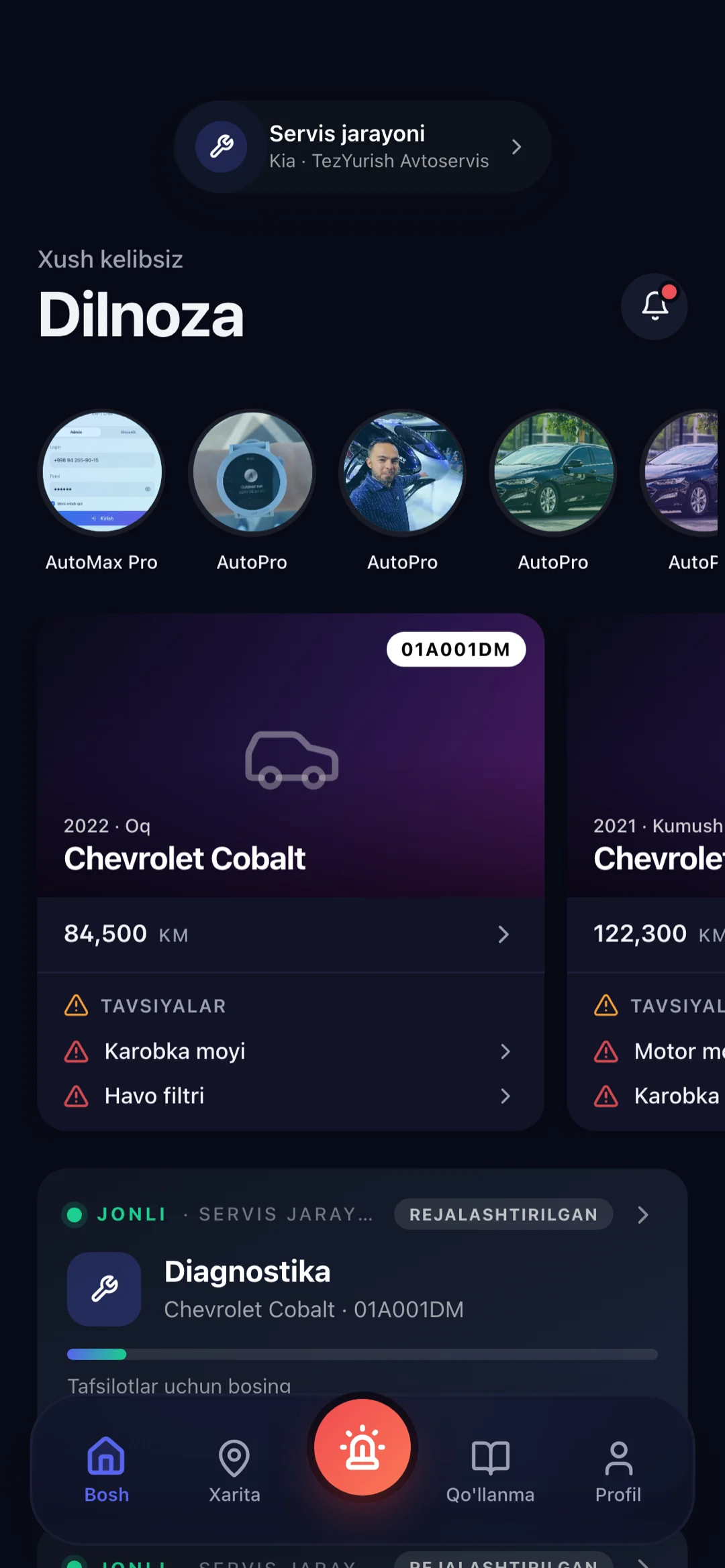
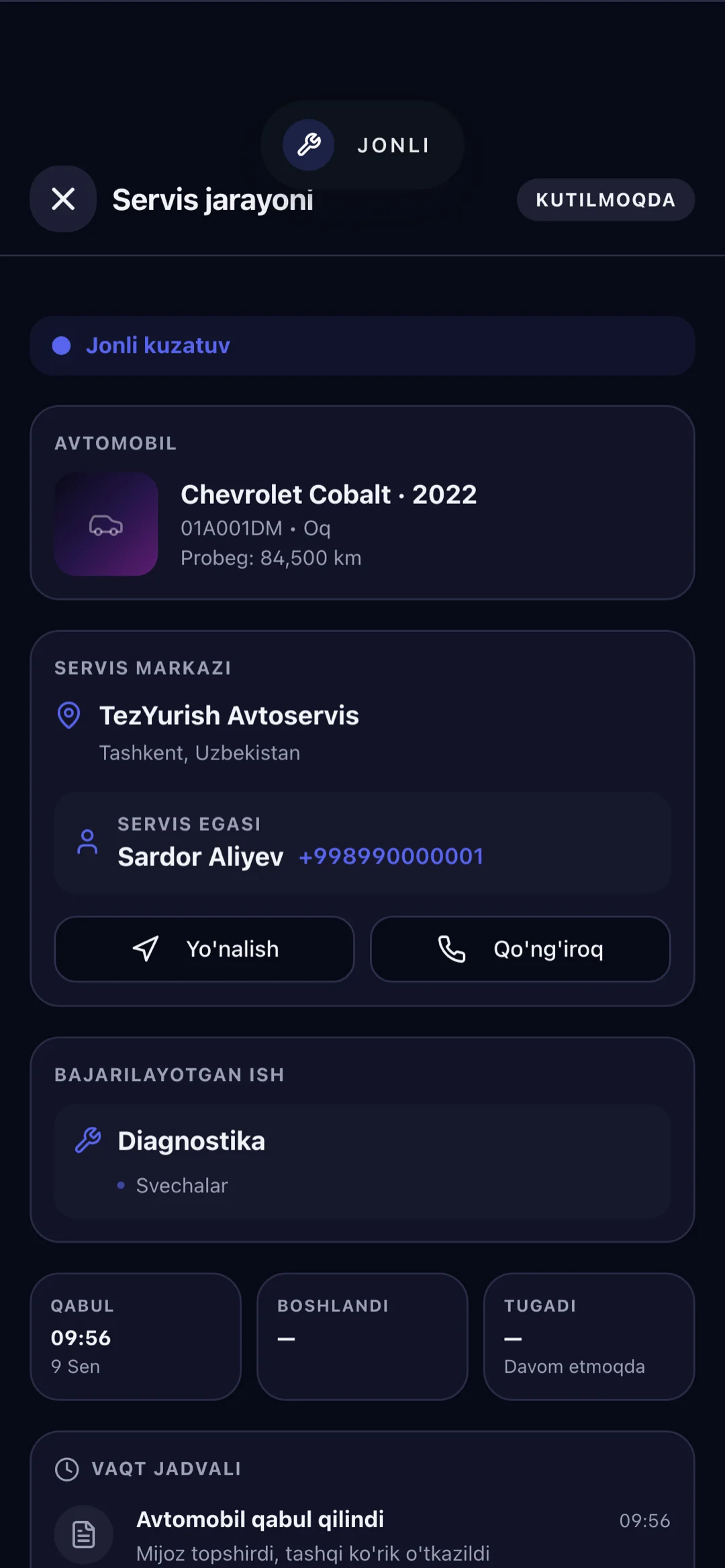
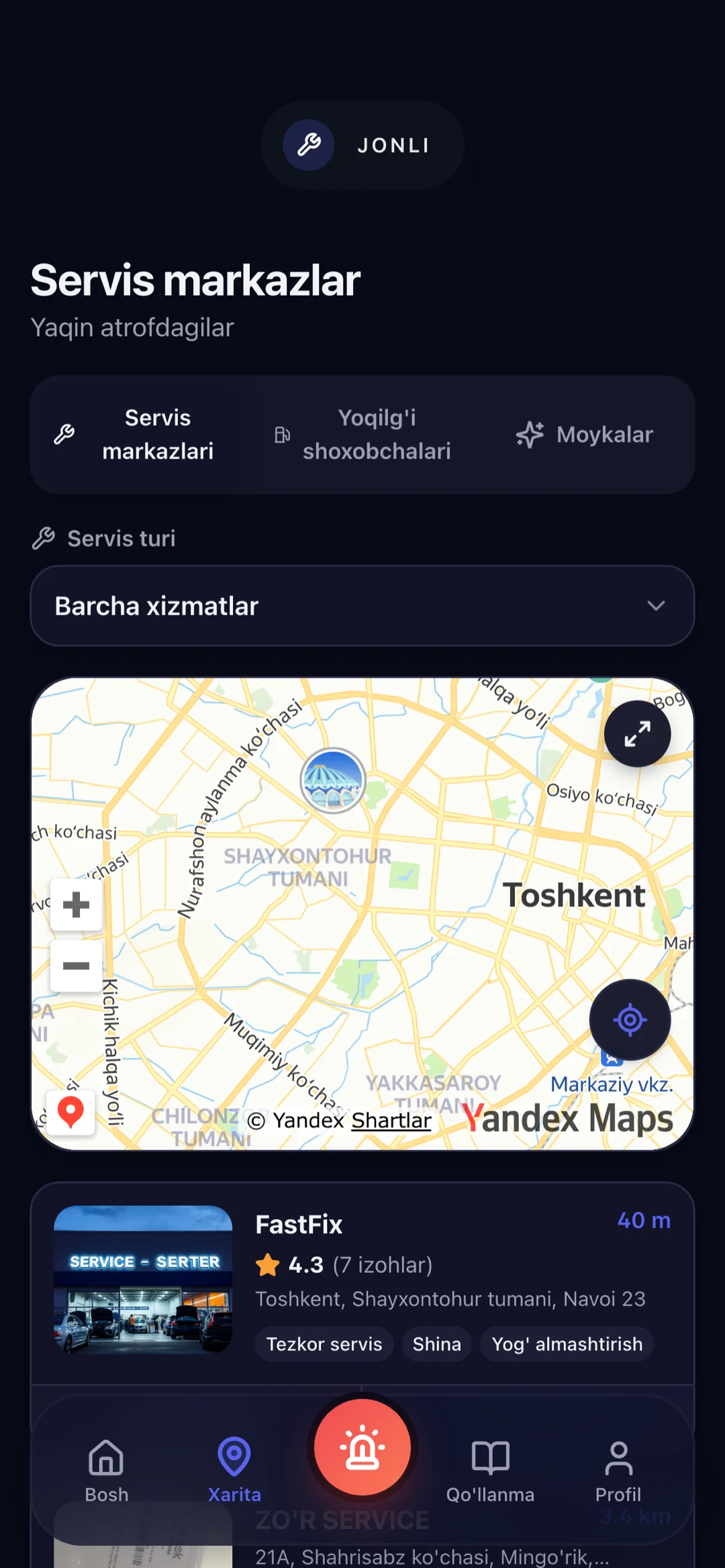
Ulov+ home screen with saved cars and the live service panelUlov+ service progress with the current job and its timelineUlov+ map showing nearby service centres

Version 1.3.165 Requirements: iOS 15.0+ · Android 7.0+ Free

Ulov
For service centres

Ulov

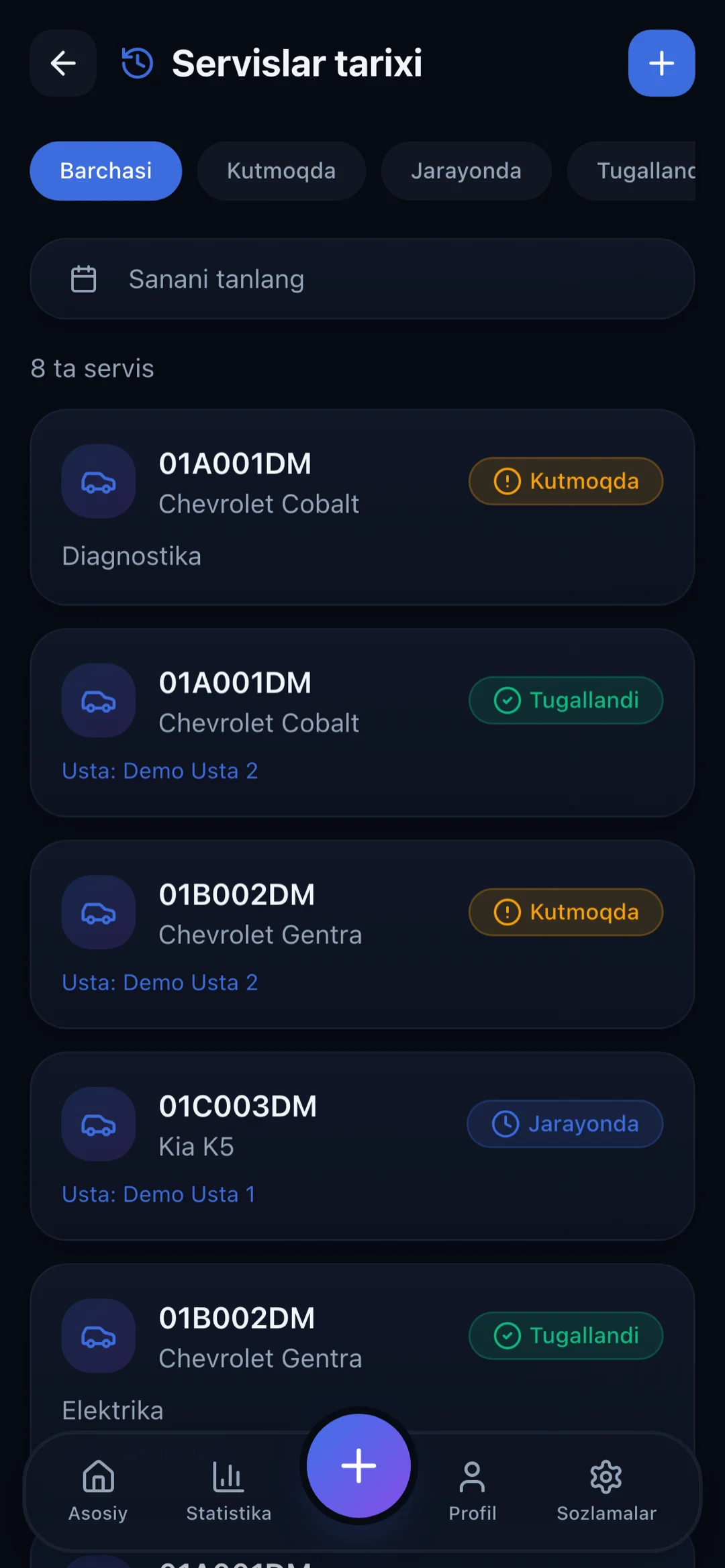
From taking the car in to handing back the bill: queue, mechanics, pricing and statistics in a single app.

  • Intake by VIN scan or licence-plate lookup
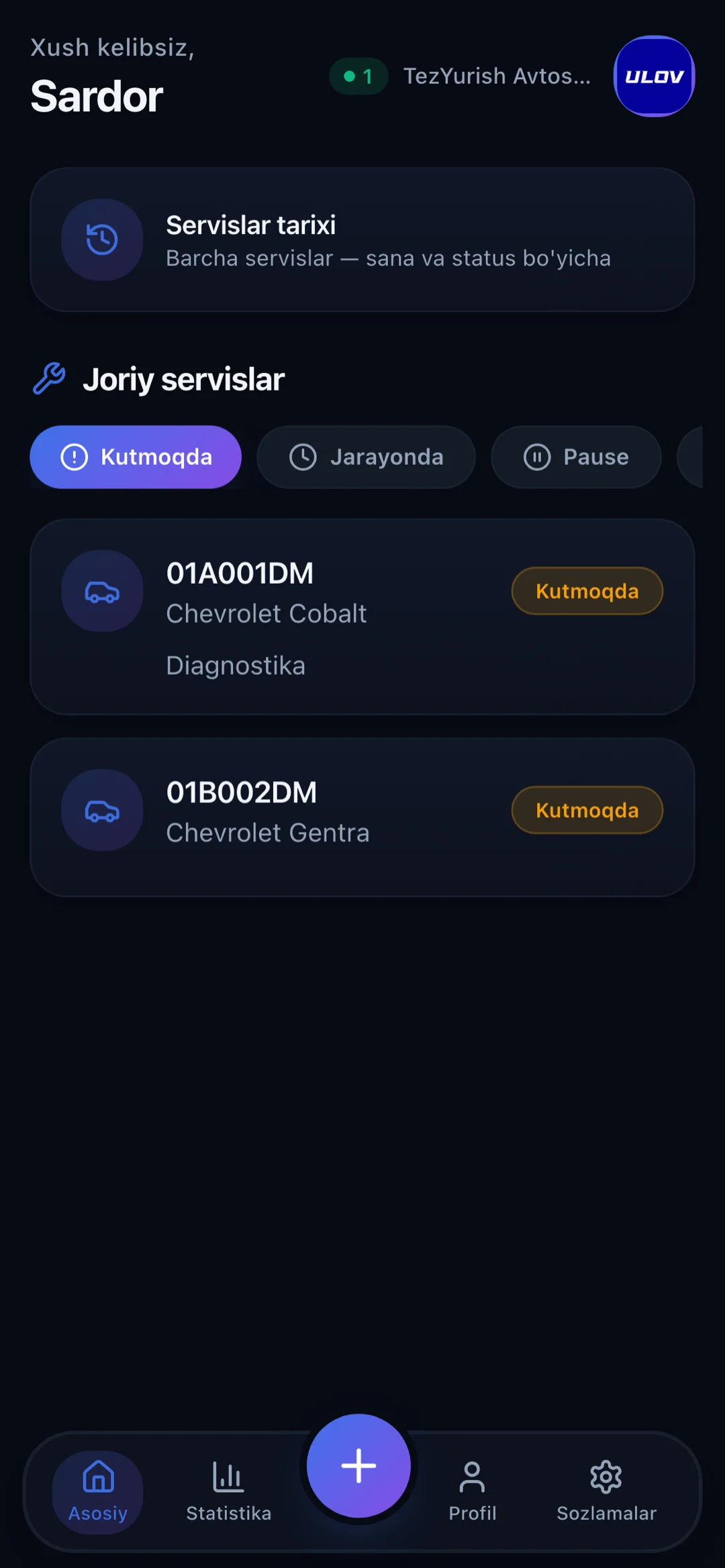
  • Live queue, mechanic assignment and time tracking
  • Labour and parts pricing, customer history
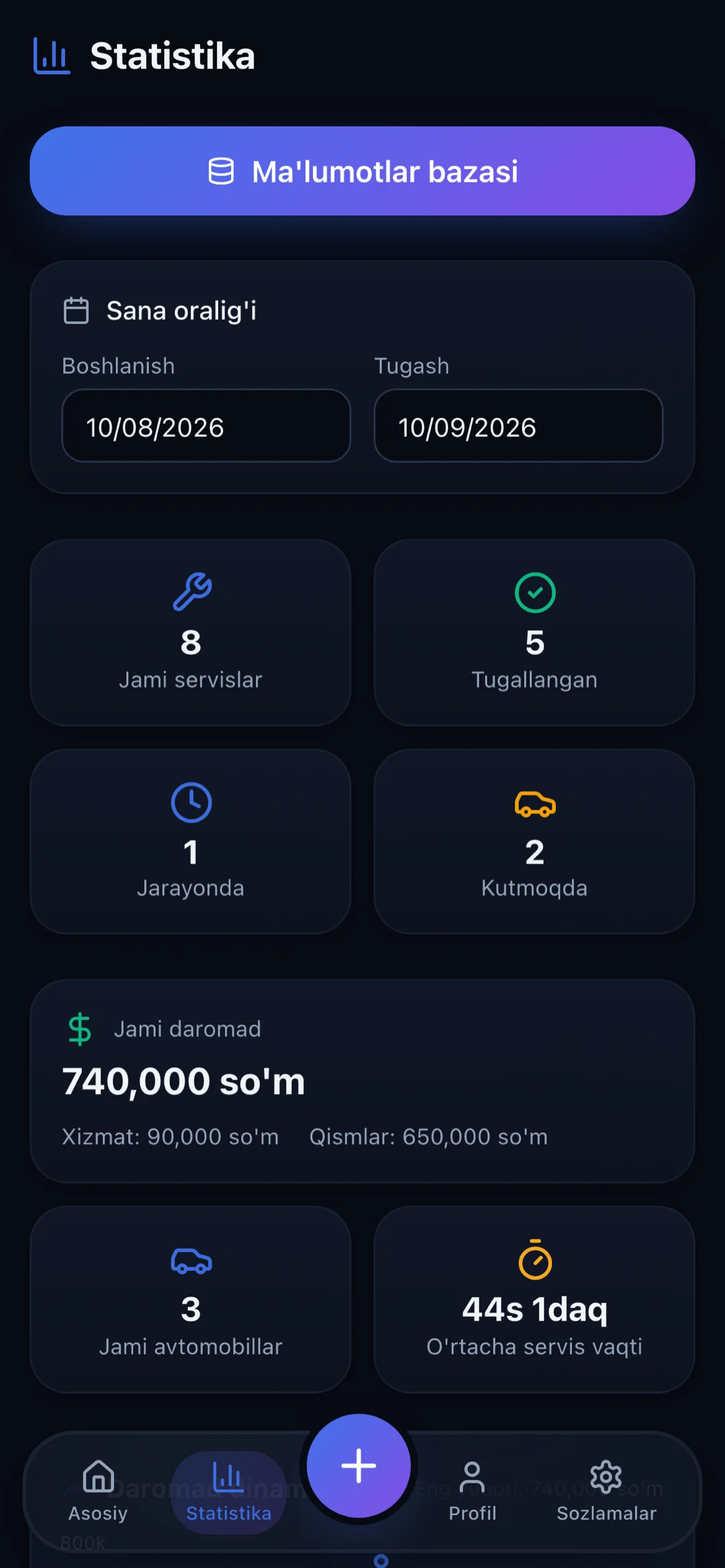
  • Revenue and workload statistics
  • Staff accounts and access control
Ulov dashboard with the live queue and cars taken inUlov service history listing completed jobsUlov statistics showing revenue and workload

Version 1.3.91 Requirements: iOS 15.0+ · Android 7.0+ Subscription

Features

Everything about the car in one place

Ulov+ is not only for watching a repair. Most of the everyday jobs live here too.

Live service tracking

The moment work starts, a live panel appears on your phone. On iPhone it sits in the Dynamic Island and on the lock screen, no app to open: which job is running and how long it has taken.

Map

Service centres, car washes and fuel stations nearby. Filter by the service you need, with distance, rating and directions.

Roadside assistance

Stuck on the road — tow truck, tyre fitter, fuel delivery or an ambulance. Once the request is accepted you can see who is on the way.

Service history and reminders

Every job is recorded. Based on mileage, the next oil change or inspection is flagged before it is due.

Fines and insurance

Check traffic fines by licence plate and get a warning before the insurance policy runs out.

Reference guides

Traffic rules, road signs, fine amounts and practical advice for drivers — readable offline.

For service centres

Get the workshop out of the notebook

Ulov is a workplace for a service centre. The car that came in, who is working on it, how long it has taken and what it came to — on one screen. The customer follows the same process on their own phone, which is the end of the phone calls asking whether it is ready.

Intake in 30 seconds

VIN scan or licence plate — the vehicle details fill themselves in, with nothing to type.

Mechanics and queue

Who is working on what and for how long, so payroll is not a matter of memory.

Pricing and parts

Labour price list, parts added and the final bill — all kept in the customer's history.

Statistics

Daily and monthly revenue, workload and the services most asked for.

Ulov for service centres runs on a subscription. Ask us about current pricing and the trial period.

Process

How it works

You leave the car. The app tells you the rest.

1

You leave the car

The service centre takes the car in and opens a job. The vehicle is linked to your app.

2

You follow the work

Which job is being done and how long it has taken shows on your phone, live.

3

You hear when it's done

A notification arrives the moment the work is finished, with the final bill.

4

The history stays

Every service is recorded, together with when the next one is due.

Trust

Who your data belongs to

Short answer: you. The long one is in the privacy policy. Read the privacy policy →

Encrypted in transit

Everything between the app and the server goes over HTTPS (TLS). Passwords are never stored in the clear.

Verified phone number

Signing in is confirmed with a one-time SMS code. The code expires and the number of attempts is limited.

Delete whenever you want

The account can be deleted from inside the app. Once requested, the data is erased within the stated period.

FAQ

Frequently asked questions

If your question isn't here, write to us and we'll add it.

Do the apps cost anything?

For car owners Ulov+ is free — both to download and to use day to day, with no subscription required inside the app.

For service centres, the Ulov app runs on a subscription; ask us about current pricing. Separate products such as an insurance policy are bought in the app, and their price is shown before the purchase.

How do I sign up?

Open the app, enter your phone number, confirm the code sent by SMS and set a password. Nothing else is asked for.

Can a service centre see my car's history?

When your car is taken in, the service centre sees the list of past jobs — what was done and when. That is deliberate: you cannot repair a car correctly without knowing about the previous brake job.

Prices are not shown. Each service centre only sees the amounts it entered itself; another workshop's figures are closed to it.

Which phones support live tracking?

The live panel on the lock screen needs iOS 16.2 or newer; the Dynamic Island needs an iPhone 14 Pro or newer. On Android and older iPhones the same progress arrives as ordinary notifications.

Why do you need my location?

Only to show nearby service centres on the map and to locate you when you call for roadside assistance. The rest of the app works without location access.

How do I delete my account?

In the app: Profile → Settings → Delete account. The procedure without the app is described on its own page.

Contact

Get in touch

Questions, suggestions or partnership — write to us. We normally reply within one business day.